
The campaign is ready, the sale products are listed, and the adverts can go live. But what happens when someone visits your store for the first time? Can they understand the offer, find the information they need, and complete their order?
Before Black Friday, it is worth reviewing your own platform as a new customer would. Many details contribute to reliable operation: accurate product information, a clear total, a payment process customers can follow, and a confirmation that arrives.
To start with the customer’s perspective, use our quick online shopping checklist. This article helps you turn those questions into checks for your own online store.
1. Make the offer clear on the product page, too
Look for the promise in your advert on the product page. Does it show the same model, package and price? Is it clear what the coupon applies to, how long the offer lasts, and whether the discount has conditions?
Choose a few products with different pricing arrangements: a straightforward sale item, a product with several variants, and one available with a coupon. Check the listing page, product page and cart. If the information differs, record the exact steps and the expected result.
When announcing a price reduction, consider both the general rule for the previous price and the exceptions. The government office’s guidance explains the importance of the 30-day reference period. Keep your underlying pricing data organised so you can check what is displayed.
2. Make key information easy to find
Open the website as if you had never encountered the business before. Can you find the operator, contact details, delivery information and returns process? Can you reach these from the product page, or do they only appear at the end of checkout?
Stock information and delivery promises should make sense together. Products in your own warehouse, items ordered from a supplier and pre-orders are different situations. Show information that your actual operations can support.
An HTTPS connection matters, but does not, on its own, establish that a seller is trustworthy. The NKFH’s guidance therefore also highlights checking the seller’s details and purchase terms.
3. Work through the entire shopping journey
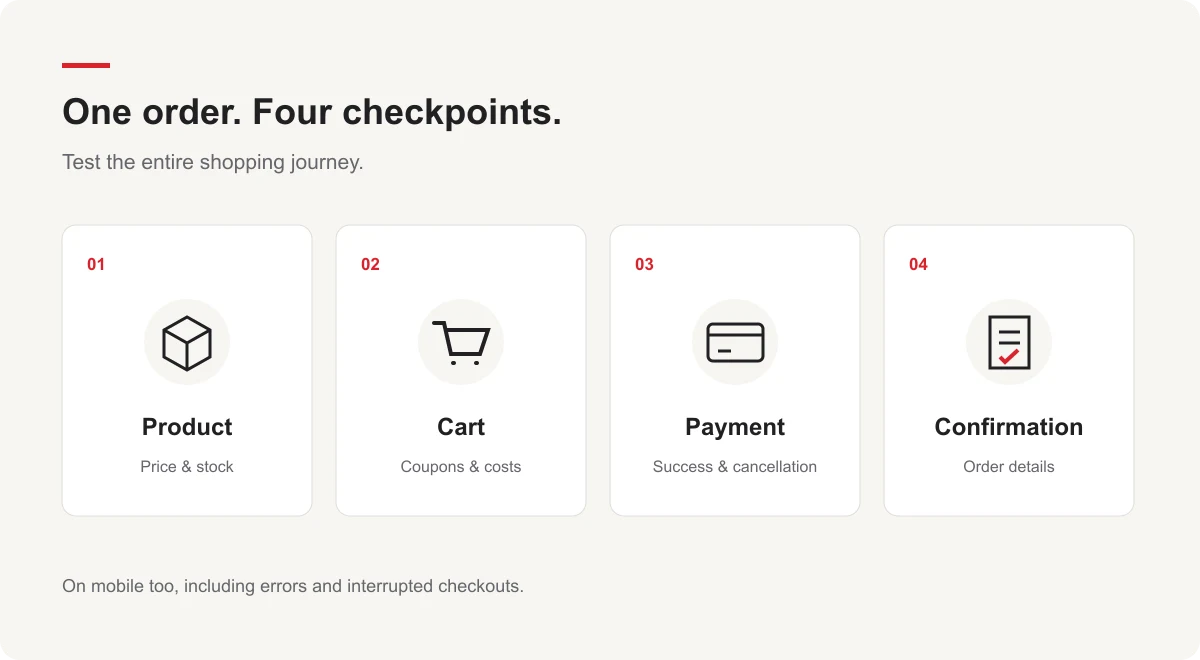
Opening the homepage does not tell you whether ordering works. Follow the journey from product selection to confirmation on both mobile and desktop. If guest checkout is available, check that too.
- Add different products to the cart, change a quantity, then remove an item.
- Try a valid coupon, an expired one, and one that does not apply to the cart.
- Check how the total changes when you switch delivery or payment methods.
- Leave out a required field and check whether the error message is clear.
- Review the state after successful, declined and interrupted payments.
Place test orders in the payment provider’s test environment or through a process agreed in advance. The order status, stock and customer messages should tell the same story. Pay particular attention to what happens when going back or refreshing the page.
4. Keep the process clear after ordering
After paying, customers want to know whether their order succeeded and what happens next. Check that the confirmation reaches the correct address and contains the right products, amounts, delivery details and references.
Customer service also needs to know where to find the same order. Discuss how you will respond to a missing confirmation or an uncertain payment status. This helps align what the interface says with the internal handling of the order.
5. Assess heavier traffic separately
A shopping journey that works for one user does not tell you how it will behave under a heavier workload. Before performance testing, agree on the operations, environment and load levels to be tested.
Start with the workflows that matter: product search, filtering, adding to the cart and checkout. Interpret response times alongside errors and the available system data. Include external payment or delivery services in load testing only under agreed conditions.
A test provides feedback on a specific version, environment and scenario. Its results support preparation; they are not a promise covering every future traffic situation.
6. Turn observations into a list of actionable fixes
For each issue, record where you found it, the steps that led to it, and what should have happened. Flag problems that prevent orders, produce incorrect totals or give misleading information.
After fixes, check the same situation again and review the related steps too. OfficeXpert offers functional testing and performance testing, as well as online store development for a new platform, to help with the agreed task.
Start with a customer’s perspective
Choose a featured product and follow its journey from advert to confirmation. Wherever you have to guess at information or the behaviour differs from what you expect, you have a specific point to check.
Open the shopping checklist and online shopping guide, and use it to review your own online store too.